
AInoise, my own procedural white noise app for sleeping
Source codeDownload v1.0.0I sometimes sleep with a Bluetooth sleep mask. It has thin headphones built in, and with it on it is easy to fall asleep to some background noise: rain, the sea, a distant fan. The problem is that the apps I tried play recordings. They repeat, you can hear the loop points, and most want a subscription or have ads between tracks.
One day I thought: what if instead of playing a sound I make it? White noise is maths, and rain or waves can be modelled with filters and oscillators. So I decided to build my own procedural white noise app. It is called AInoise and it is the one I use now.
What it does
Every sound is generated sample by sample on the device itself, so it never repeats, and the whole app is a little over 1 MB. There is not a single audio file inside.
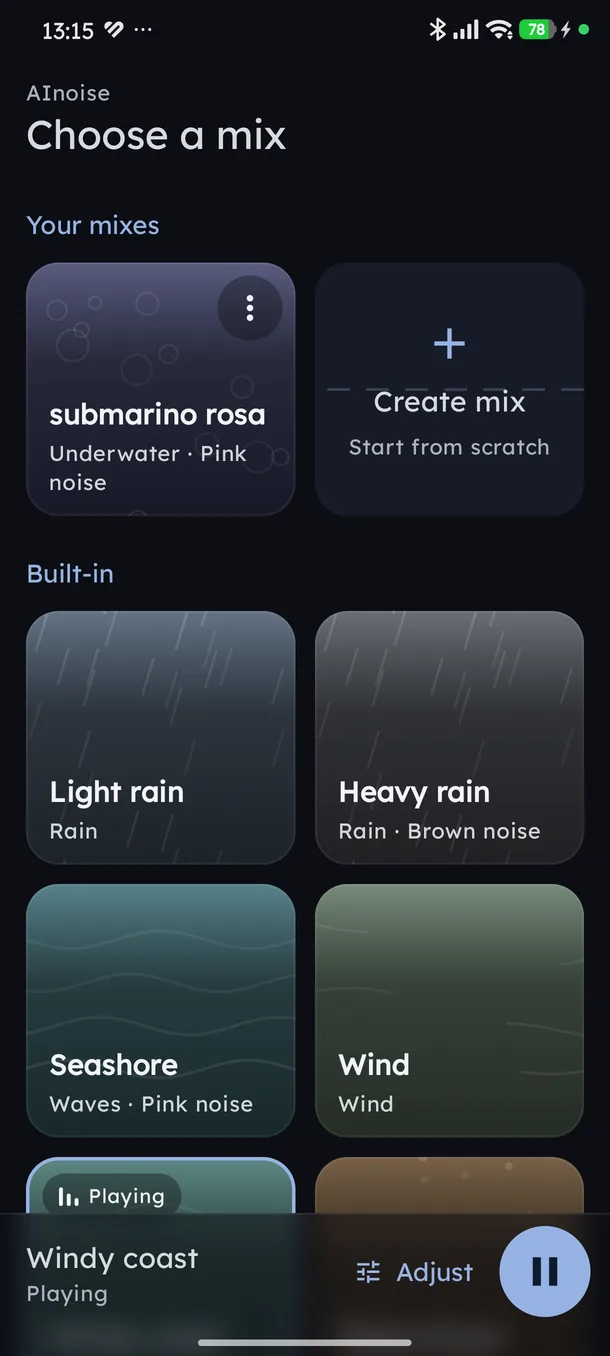
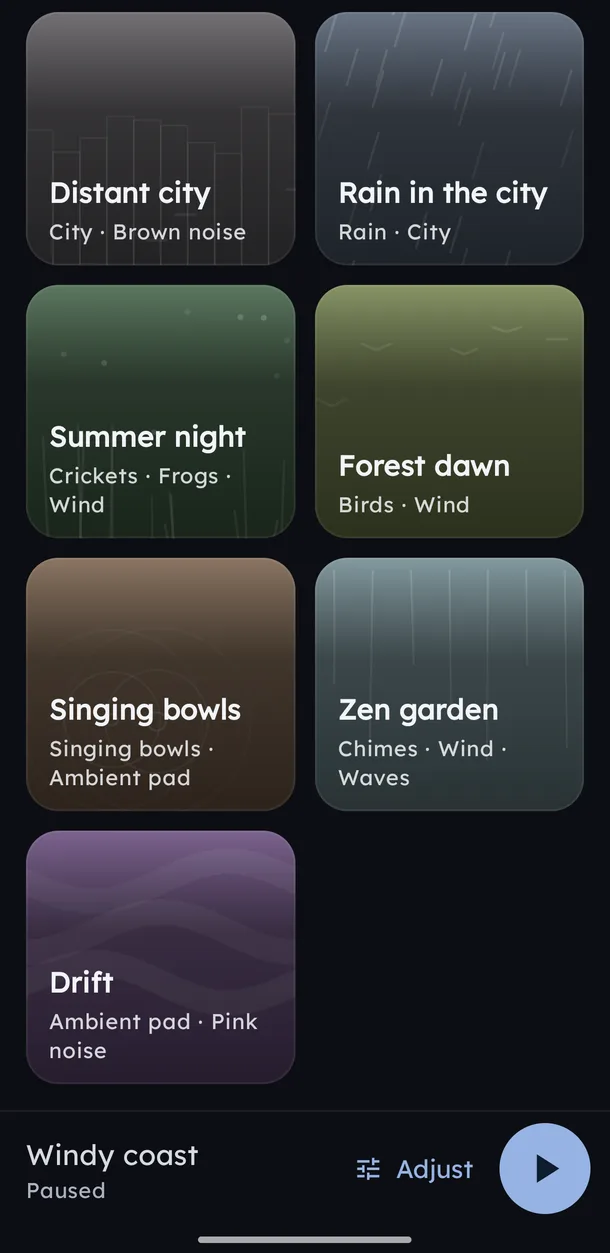
- 14 procedural sounds in five families: noise (white, pink, brown), nature (rain, wind, waves, underwater), city (distant traffic), animals (crickets, birds, frogs) and instruments (singing bowls, wind chimes, ambient pad).
- Layered mixes: up to 12 layers, each with its own volume, intensity and frequency. There are 17 built-in mixes, and you can save, rename and duplicate your own.
- Made for sleeping: sleep timer, background playback with a media notification, lock-screen and headset controls, and automatic pause when headphones are disconnected.
- 14 languages, following the system language.
- Light on battery: about 3 % of one CPU core with the screen off.
The editor
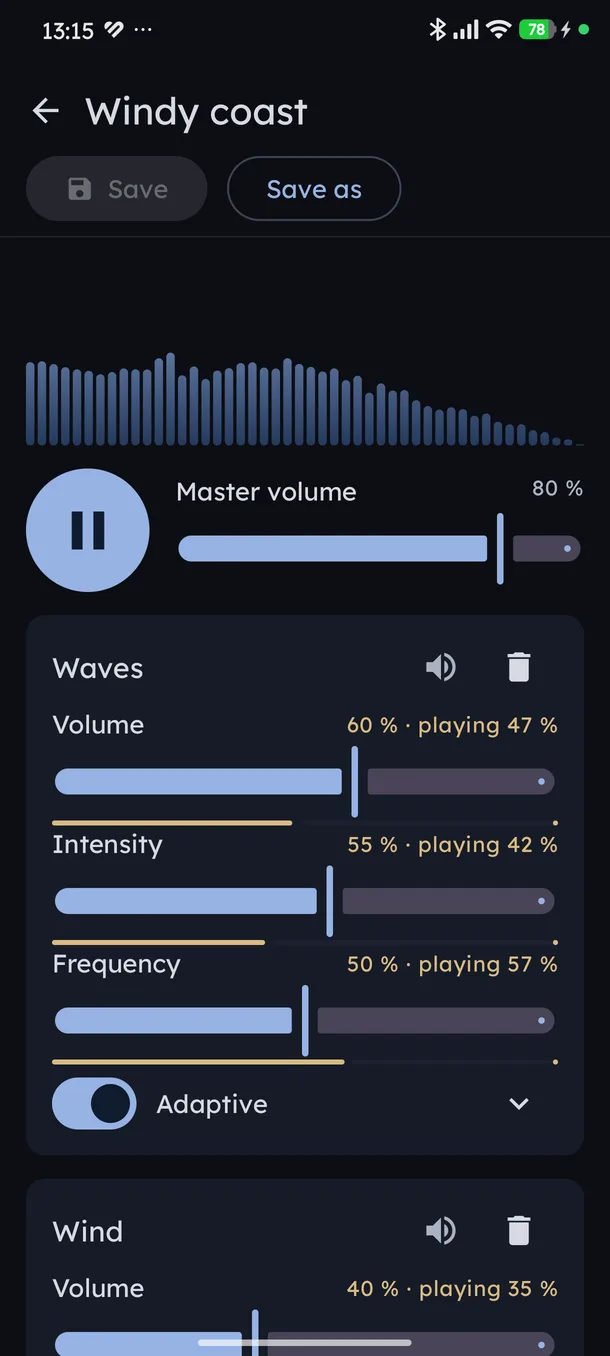
Each mix can be tuned layer by layer. While it plays, the editor shows the live spectrum, and next to each control you see the value it is playing at right now, because adaptive mode may be moving it.
Adaptive mode
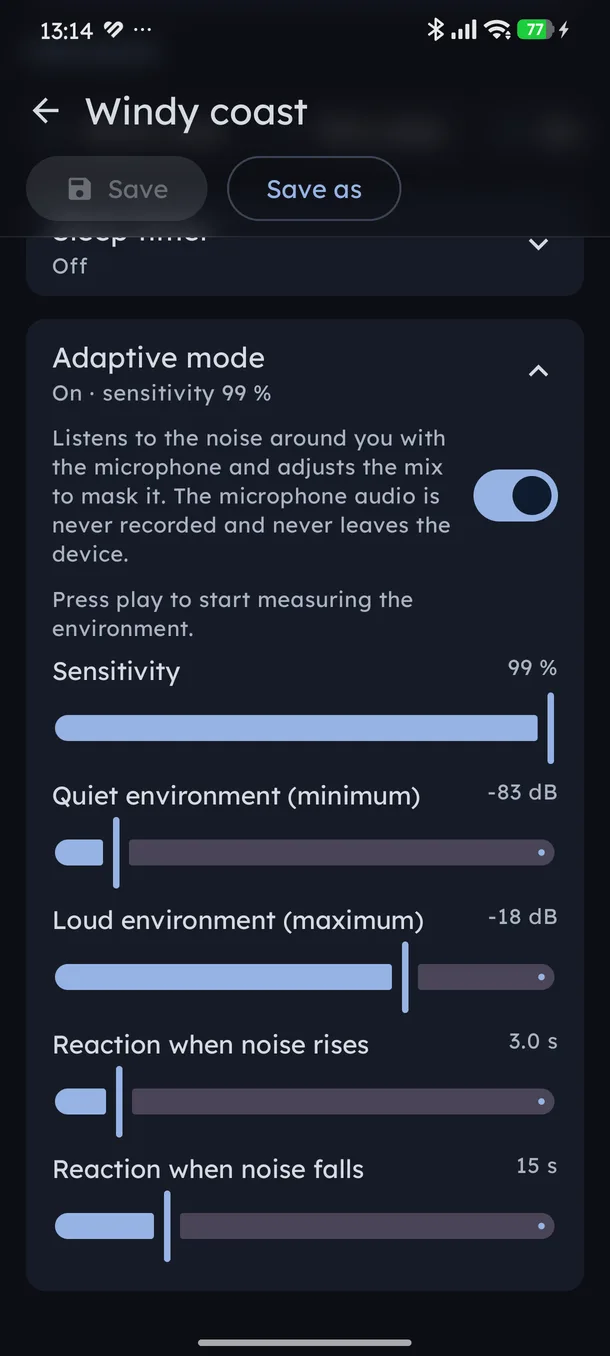
What interested me most was having the app listen to the room. With adaptive mode on, the microphone measures the ambient level in three frequency bands and each layer moves between the minimum and maximum you set: it rises when there is noise and settles back when things calm down, with separate reaction times for rising and falling. The app subtracts its own output from what the microphone hears, so it does not chase itself.
It is private: the app has no internet permission. Microphone audio is only used to compute loudness per band; it is never recorded or sent anywhere, and the microphone only opens when adaptive mode is on and something is playing.
How it is built
It is a native Android app in Kotlin with Jetpack Compose. The sound comes from a pure Kotlin module with no Android dependencies, holding the generators, the mixer and the adaptation logic, with its unit tests. Each generator is a small synthesis model rather than a sample player: filtered noise for the coloured noises, a noise bed with randomly timed droplets for rain, filters swept by slow gusts for wind, modal resonators for bowls and chimes, pulsed carriers for crickets and frogs. Everything runs on the audio thread without allocating memory, and parameter changes are smoothed so nothing clicks.
I built it with a lot of help from AI coding agents. I decided how it should sound and what it should do; they wrote and measured. I checked the new sounds with spectrum and level analysis, and then, of course, with my ears.
Open source
AInoise is free software under the MIT licence. The signed APK is published with every release from GitHub Actions.
- Code and downloads: github.com/alexwing/AInoise
- Also on SourceForge: sourceforge.net/projects/ainoise
It requires Android 8.0 or newer. Translations other than English and Spanish are machine-made and have not been reviewed by native speakers; if you spot something odd, I would be glad to hear about it.